How to design invitations with CapCut desktop video editing software

Change language:
Sponsored content
Invitations set the mood for any event. Whether it’s a wedding, birthday party, baby shower, or business event, a well-crafted invitation helps guests feel excited before they even arrive. Traditionally, designing invitations required graphic design tools or hiring a professional. But now, with CapCut Desktop Video Editing Software, anyone can create visually stunning video invitations that look polished and modern—without needing advanced design skills. CapCut isn’t just for editing videos; it’s also a powerful creative tool that can turn a simple idea into a professional-looking invitation. From adding text and stickers to enhancing with music and effects, CapCut makes the process quick, fun, and beginner-friendly.
Why Use CapCut Desktop for Invitations?
Before we jump into the guide, let’s talk about why CapCut is ideal for invitation design:
- Easy-to-use interface – CapCut is built for creators at all levels. Even if you’ve never edited a video before, you’ll find its drag-and-drop features simple to navigate.
- Templates and elements – CapCut provides pre-made templates, animations, and design elements that can be customized for any event theme, saving you the hassle of starting from scratch.
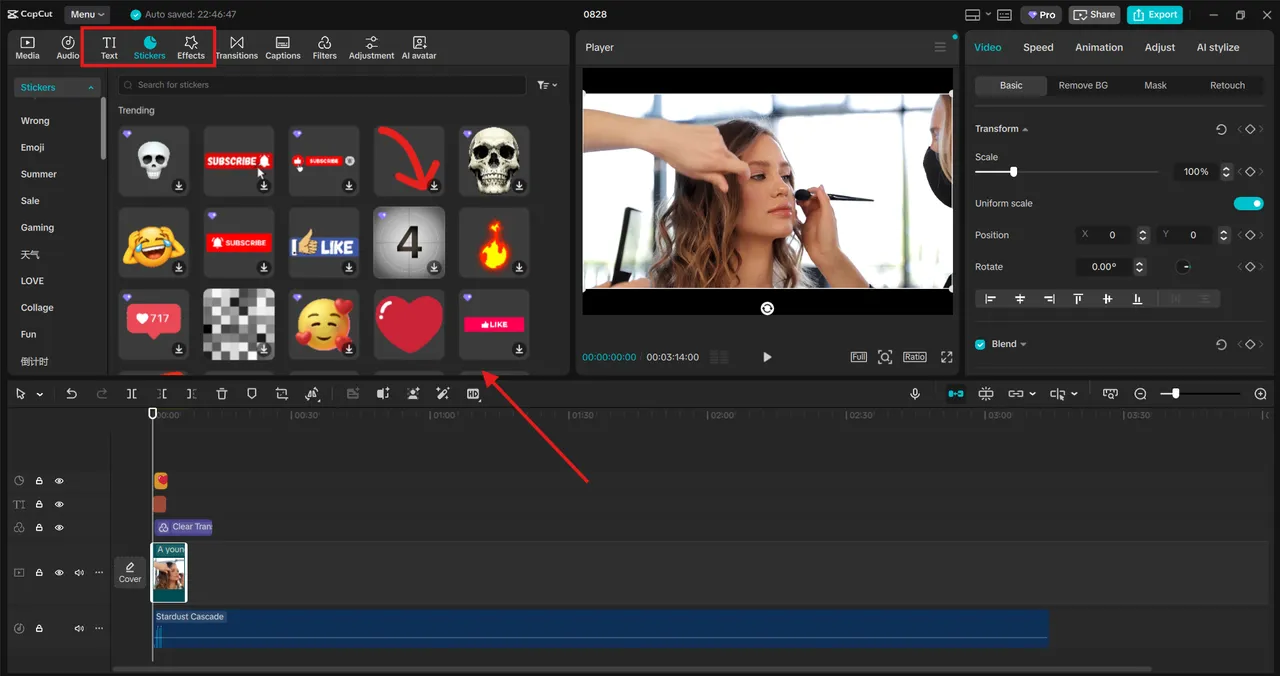
- Text and stickers – Add stylish fonts, animated text, or fun stickers to make your invitations more engaging.
- Music and sound effects – A static invitation is lovely, but a dynamic video invitation with background music feels more lively and personal.
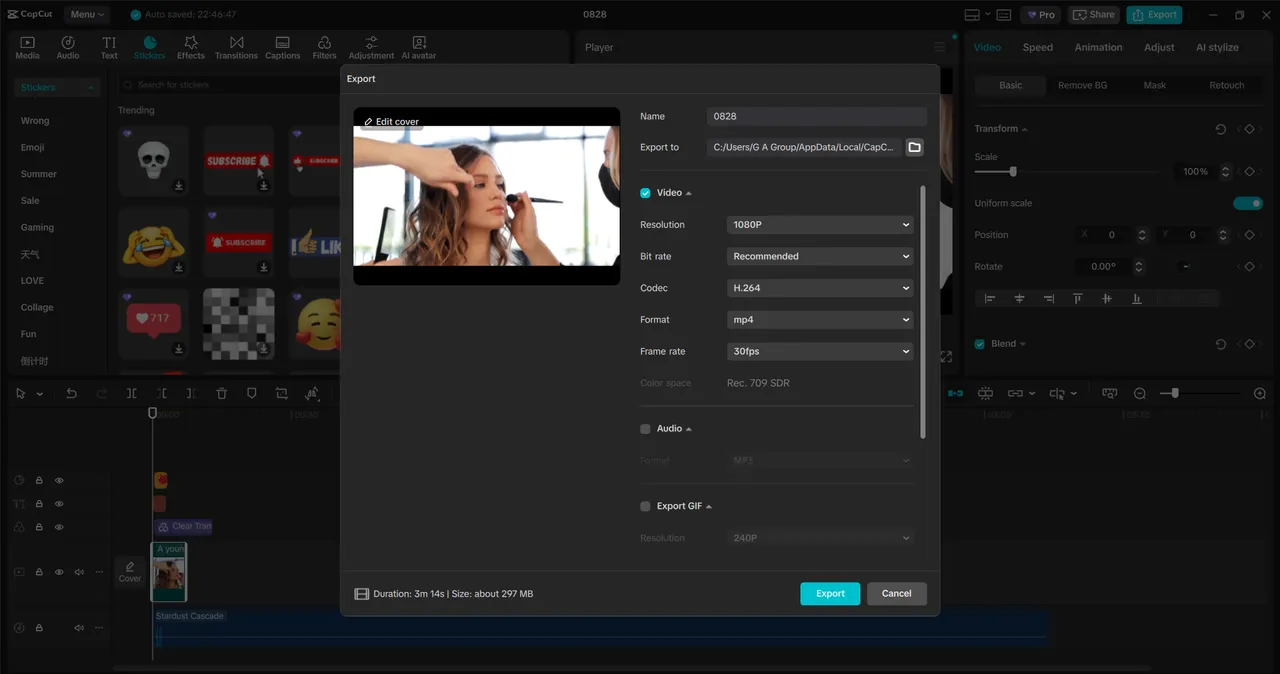
- Cross-platform sharing – Once you finish your invitation, you can easily export and share it via social media, email, or messaging apps.
Types of Invitations You Can Make with CapCut
CapCut Desktop isn’t limited to just one style. Depending on the vibe of your event, you can create:
- Wedding invitations with elegant fonts, floral stickers, and romantic music.
- Birthday invitations with colorful text, balloons, and playful animations.
- Baby shower invitations with soft pastels, cute icons, and cheerful tunes.
- Corporate event invitations with clean layouts, bold text, and professional transitions.
- Holiday or festive invitations with themed graphics and seasonal music.
The flexibility of CapCut allows you to design something that truly matches your event’s personality.
How to Design Invitations with CapCut Desktop
CapCut offers a range of amazing tools, including Voice Changer, AI Video Generator, and Text to Speech, among others. These tools help you create amazing invitation videos. Now let’s break it down into a simple process. Even if you’re a beginner, you can follow these steps to create your own stylish invitations.
Step 1: Set Up Your Invitation Project
Open CapCut Desktop and start a new project. Choose the canvas size that works best for your invitation. For digital invites, a 9:16 (vertical) format works well for phones, while 16:9 (horizontal) is ideal for wider displays. Import any photos, logos, or background images you’d like to use. For example, a wedding photo, a themed background, or a company logo. If you don’t have your own images, CapCut offers free background options and stock elements to help you get started.