


From link to loop: the infinite remix of modern product storytelling

Change language:
One product link. That’s it. What once required a full-day shoot, a scriptwriting session, and a motion designer now begins in a URL and culminates with 15+ scroll-stopping video versions. If it sounds like magic, it’s because it sort of is.
For Gen Z brands, eCom agencies, and solo founders, the 2025 creative brief is not so much “write a storyboard” as “drop the product link.” But speed isn’t really what this is all about—it’s control. One URL doesn’t just cough up one video. It has a wealth of dynamic resources, including trend edits, unboxing-style advertisements, lesson explainers, ASMR shorts, and even fictitious testimonies. Greetings from the remix economy.
Here’s how to create endless, platform-ready loops out of a single product URL with Pippit’s link to video converter.
The power of one: how your content universe may be created from a single product
URL scalable personalization without burnout
- URL to video technology divides product listings into modular video components, including hooks, descriptions, benefits, and calls to action. It then permits remixing in formats that are appropriate for various stages of the buyer journey.
- With voiceovers, avatars, and TikTok-popular templates built-in, your content looks human and authentic, not templated.
- One link = endless tone shifts. Change the avatar from friendly and warm to hype and bold, and the same product becomes two faces.
Repurpose without redundancy
- Product demo → tutorial → review → aesthetic scroll → meme, all from one pool of content.
- These templates don’t simply occupy your feed. They assist you in experimenting with what works where—short-form vs. long-form, voiceover vs. text, influencer-tone vs. educational.
- And since every iteration is based on the product page’s essential info, it never deviates from the brand message.
The remix lineup: 6 video types you can create right now
- Testimonial-style video
Employ AI avatars with friendly tones and layer “review” styled text over images or product close-ups.
- Tutorial + how-to explainer
Use cases highlighted step-by-step, synchronized with minimalist animations and callouts.
- Unboxing & reaction-style
Use the video as a first-person reveal moment. Apply curved text to emphasize product features with a fun swoop.
- Comparison carousel
Employ side-by-side comparisons of “before and after,” or your product against a popular substitute, perfect for hesitant consumers.
- ASMR loop or ambiance
Emphasize textures, ambient audio, and slow-motion shots. Soft voiceovers can be auto-generated for this atmosphere.
- Trend edits or “TikTok made me buy it”
Integrate trending sound clips, quick cuts, and viral captions into seamlessly flowing user feeds.
3 steps to create video loops from a product URL using Pippit
Pippit, an advanced AI video generator, has made it wasier for even non-creative users to convert theor URL to video in 3 simple steps:
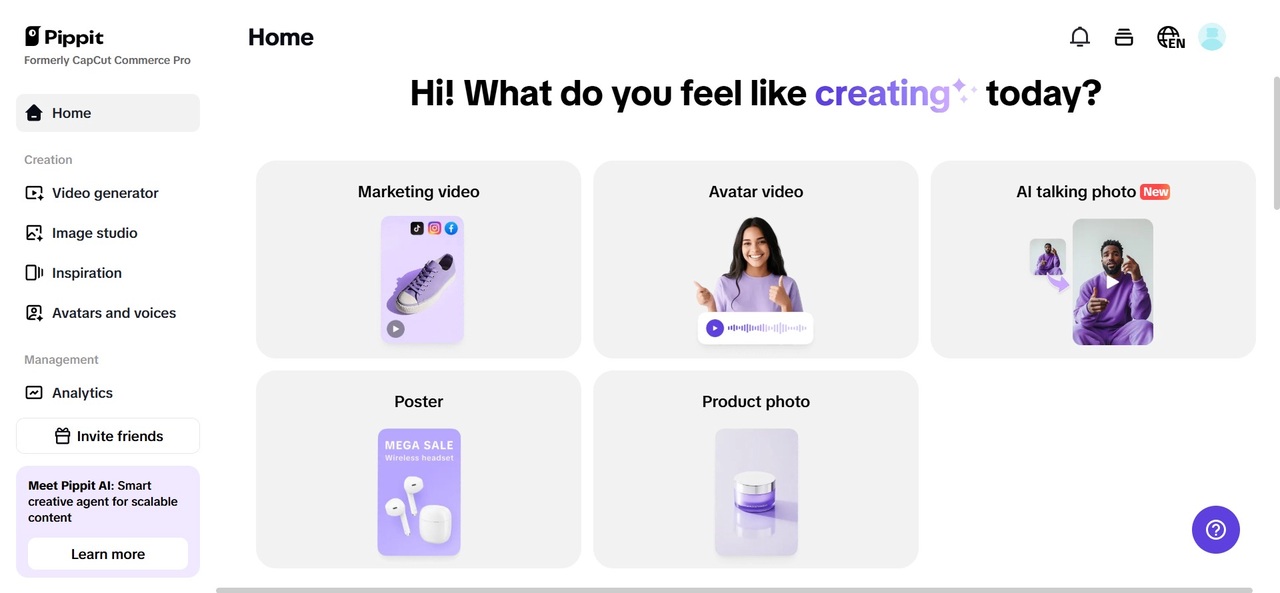
Step 1: Navigate to video generator tool
Begin by registering on Pippit, and go to the Video Generator area. Insert your product’s URL—whether Shopify, Amazon, or TikTok Shop—into the input field. The software automatically extracts product details: images, specifications, and descriptions. You can personalize whatever: change the name, replace images, or add new ones using the “Add Media” button. This way, the final video matches the best aspects of the product listing—even if the original page is dull.